
 Ilan Asseo
Free AI Chat Options to Supercharge LinkedIn Prospecting
Explore five free and freemium AI chat tools to streamline LinkedIn prospecting, write better messages, and qualify faster without extra budget.

LinkedIn remains a goldmine for B2B revenue, yet most sales teams still burn hours on manual research, repetitive typing, and follow-ups that never convert. The good news? A new generation of free AI chat tools can slash that busywork while boosting response rates—if you know how to deploy them strategically.
Industry evidence: “As customers increasingly learn and buy digitally, sales reps become just one of many possible sales channels.” — Cristina Gomez, Managing Vice President, Gartner.
Source: Gartner
Why Pair AI Chat With LinkedIn Prospecting in 2025?
- Buyer expectations keep rising. Gartner reports that 72 % of B2B buyers now expect highly personalized outreach before agreeing to a demo.
- LinkedIn inboxes are crowded. Sales Navigator estimates that active decision makers receive 20+ unsolicited messages each week.
- AI is table stakes. Since ChatGPT’s launch, 57 % of SDRs say they already use some form of generative AI, according to HubSpot’s 2024 State of AI Sales Survey.
Put simply, your team needs AI assistance just to stay competitive. Below are five free (or freemium) AI chat options that can elevate every phase of your LinkedIn prospecting workflow—from researching a lead to booking the first call.

1. OpenAI ChatGPT (Free Tier)
Best for: Drafting first-touch messages and quick profile research.
Although the paid version offers advanced features, the free ChatGPT 3.5 model is still a powerhouse for:
- Summarizing long LinkedIn profiles into two-line personalization hooks.
- Suggesting multiple greeting variants to A/B test.
- Turning a bulleted product value prop into a short, benefit-focused InMail.
Pro tip: Paste a buyer’s recent post and prompt ChatGPT: “Write a 50-word reply that acknowledges this insight and segues to a 15-minute chat about [your solution].”
2. Microsoft Copilot for Web (Formerly Bing Chat)
Best for: Real-time web research on accounts.
Copilot pulls live data, so you can:
- Ask, “What new initiatives has Acme Corp announced in 2024?” and receive cited sources.
- Identify common connections or mutual groups to increase credibility.
- Auto-generate personalized subject lines that reference current news.
Because Copilot is integrated into the browser sidebar, you can keep one eye on a prospect’s profile while refining each message.
3. Claude.ai (Anthropic) – Free Plan
Best for: Long-context analysis and objection handling.
Claude’s generous 100k context window lets you paste entire conversation threads and request:
- A sentiment analysis of the prospect’s tone so far.
- Suggested next-step questions that feel consultative rather than pushy.
- Tailored rebuttals to common price or timing objections.
4. Perplexity AI
Best for: Rapid FAQ generation.
Perplexity combines a chat interface with a search engine database. Use it to:
- Generate concise answers to technical questions you expect prospects to ask.
- Produce a comparison between your solution and a competitor’s offering with citations.
Export the output to your internal knowledge base or directly into LinkedIn Saved Replies.
5. Zapier Central Chat (Freemium)
Best for: Light automation without code.
While primarily known for workflows, Zapier’s Central Chat can:
- Pull data from your CRM and craft personalized reach-outs that reference previous meetings.
- Trigger alerts when a prospect changes jobs, then draft a congratulatory note.
Pair it with LinkedIn’s “Connect on Zapier” actions to create a simple but effective nurture loop.
Putting It All Together: A Sample 6-Step AI Workflow
- Profile Deep-Dive – Use Copilot to gather fresh news on the company.
- Personalization Hook – Ask ChatGPT to craft a 40-word opener that references the news.
- First Touch Draft – Let Claude structure a three-message sequence tailored to the buyer’s role.
- Objection Library – Generate top FAQ answers with Perplexity.
- Automation Trigger – Configure Zapier Chat to send an internal Slack alert when a reply arrives.
- Manual Review & Send – SDR reviews, edits for tone, and hits publish.
| Stage | Free AI Chat Tool | Time Saved | Outcome |
|---|---|---|---|
| Research | Microsoft Copilot | ~10 min per lead | Context-rich notes |
| Personalization | ChatGPT | ~5 min | Engaging opener |
| Sequence Writing | Claude | ~15 min | Multi-touch cadence |
| Objection Handling | Perplexity | ~7 min | Ready-to-use answers |
| Automation | Zapier Chat | Continuous | Faster follow-up |
Total estimated time saved per prospect: ~37 minutes
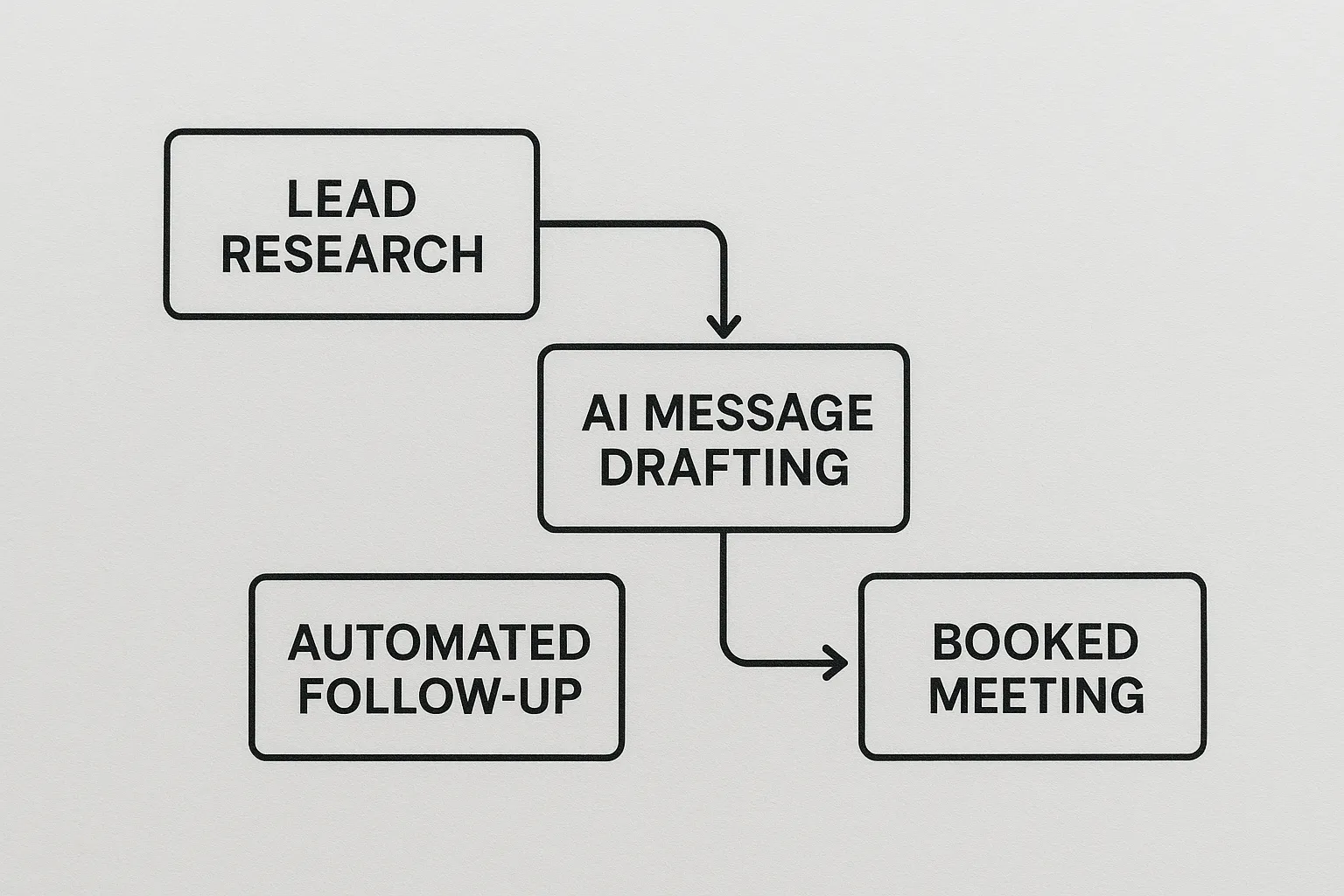
When Free Isn’t Enough: Graduating to Purpose-Built AI Like Kakiyo
While the tools above are fantastic productivity boosters, they still rely on manual copy-paste and human supervision. As pipeline targets rise, that patchwork stack can become a bottleneck.
Kakiyo eliminates the swivel-chair work by autonomously managing LinkedIn conversations from first touch to qualification and meeting booking. Key capabilities include:
- AI-driven lead qualification that asks probing questions in real time.
- Simultaneous conversation management, so hundreds of prospects are nurtured in parallel.
- Centralized dashboard with analytics that tie LinkedIn activity directly to pipeline value.
In short, free AI chat tools accelerate individual tasks, while Kakiyo automates the entire LinkedIn prospecting cycle so SDRs focus on closing.
Frequently Asked Questions
Can I rely solely on free AI chat tools for outbound? Free plans handle drafting and research well, but they lack automated scheduling, multi-thread management, and deep analytics. Scaling outreach often requires a specialized platform.
Is it safe to paste LinkedIn data into public AI chats? Always remove personally identifiable information and check each provider’s privacy policy. Enterprise-grade platforms like Kakiyo keep data in a secure environment by design.
How do I measure ROI from AI-assisted prospecting? Track response rates, meeting bookings, and deal velocity before and after implementing AI. Kakiyo’s dashboard captures these metrics automatically.
Turn Every LinkedIn Chat Into a Qualified Meeting
Curious how autonomous AI can book your next pipeline-filling demo call? Explore a live product tour at Kakiyo and see how our AI outperforms piecemeal tools—without sacrificing personalization.