
 Ilan Asseo
Einstein Sales Force: What It Does and Limits
Clear guide to what Salesforce Einstein for Sales (Sales Cloud) actually does, its practical strengths, and common limitations

Sales teams often search for “Einstein Sales Force” when they mean “Salesforce Einstein for Sales Cloud”, the AI layer inside Salesforce that helps reps prioritize, predict, and act on CRM signals.
If you already run your pipeline in Salesforce, Einstein can be genuinely useful. It can also disappoint when teams expect it to behave like an autonomous SDR that runs outreach and qualifies prospects end to end.
This guide breaks down what Einstein for Sales actually does, where it tends to hit limits, and how modern teams pair CRM AI with conversation-led tools (especially for LinkedIn) to move from “insights” to booked meetings.
Industry evidence: “Our research suggests that a fifth of current sales-team functions could be automated.” — McKinsey & Company.
Source: McKinsey
What “Einstein Sales Force” is (and where it lives)
Salesforce uses “Einstein” as an umbrella brand for AI capabilities across its products. In a sales context, it generally refers to AI features inside Sales Cloud that help you:
- Score and prioritize leads and opportunities
- Generate predictions and recommendations
- Summarize, draft, and assist with sales work (increasingly via generative AI)
- Improve forecast quality and pipeline visibility
Salesforce’s own overview pages are the best place to confirm what’s included in your edition and add-ons, because packaging changes over time. Start here: Salesforce Einstein overview.
What Einstein for Sales does well
Einstein is most valuable when you already have:
- Consistent CRM usage (stages, outcomes, activity logging)
- Enough historical volume to learn patterns
- A clear definition of what “good” looks like (SQL, meeting held, opportunity created, closed-won)
Here are the areas where it typically shines.
1) Prioritization, lead scoring, and opportunity scoring
Einstein can help teams answer: “Who should we work next?”
Rather than relying purely on static rules (industry, title, employee count), scoring uses patterns from your historical conversion data to rank leads or opportunities by likelihood of success.
If you want a deeper, operational walkthrough specifically on this topic, Kakiyo already has a dedicated post: Salesforce Einstein Lead Scoring: Setup, Tips, Pitfalls.
2) Forecasting and pipeline risk signals
Einstein can support forecasting by applying predictive signals to opportunity data. The practical value here is not “perfect accuracy”, it is earlier warning and more consistent inspection.
When forecasting improves, it is usually because teams standardize the underlying inputs (stage definitions, close dates, next steps) and use AI to highlight anomalies and risk. AI does not replace pipeline discipline, it amplifies it.
3) Recommendations and “next best actions” inside the CRM
Einstein-style recommendations are strongest when they map to workflows you can actually execute:
- A rep sees a risk flag and updates a mutual plan
- A manager sees stalled deals by segment and runs a cleanup play
- RevOps routes high-intent items faster
If the recommendation does not translate into an action, adoption drops quickly.
4) Generative assistance for rep productivity
Salesforce has been pushing hard into generative AI experiences (for example, assistants that help draft emails, summarize records, or propose follow-ups). These capabilities can reduce time spent on “blank page” tasks.
The most reliable gains tend to come from constrained use cases:
- Summarizing a long record into a short brief
- Drafting a first-pass follow-up that a rep edits
- Converting notes into structured CRM fields
For Salesforce’s positioning and latest product direction, see Salesforce AI (Einstein) pages.
What Einstein does not do (common expectation gaps)
The biggest mismatch comes from assuming Einstein is an autonomous outbound engine. In practice, Einstein is primarily CRM-native AI. It helps you decide and act inside Salesforce, based on Salesforce data.
Here are the common limitations to plan for.
Limitation 1: It is only as good as your CRM data
Einstein’s predictions depend on historical outcomes and consistent inputs. Teams run into trouble when:
- Stages are subjective (“Negotiation” means five different things)
- Close dates are fantasy dates that get pushed every week
- Loss reasons are missing or unreliable
- Activities are not logged, or are logged inconsistently
If you want predictive performance, you need operational consistency. AI does not fix messy definitions, it learns them.
Limitation 2: CRM AI is not the same as conversation-led qualification
Many revenue teams now qualify in threads, not in forms.
A lead score can tell you “this looks promising”, but it usually cannot capture:
- The buyer’s actual constraints, in their own words
- The objections they raised and how they were resolved
- The proof of authority, timing, and internal process
In other words, Einstein is great at prioritizing work. It is less effective at generating the evidence packet that makes qualification auditable.
Kakiyo’s content often emphasizes this difference: qualification improves when you capture fit, intent, and conversation evidence together. (Related reading: Lead Qualification Process: Steps, Scoring, and Automation.)
Limitation 3: It does not run autonomous LinkedIn conversations
Even if Einstein can help a rep decide who to contact and when, it does not function as a LinkedIn-native agent that:
- Opens and maintains a real dialogue
- Asks adaptive qualification questions
- Handles objections in-thread
- Books meetings as the conversation reaches readiness
If LinkedIn is a core channel for your outbound motion, you typically need a purpose-built system to manage conversations at scale, with governance.

Limitation 4: “Recommendations” can be hard to operationalize
Einstein might identify a high-scoring lead, but teams still need to answer:
- What is the exact SLA?
- What message do we send?
- What qualifies as a good response?
- When do we escalate to a human?
- How do we measure lift beyond vanity metrics?
Without these decisions, AI insights become another dashboard that gets ignored.
A good rule: if you cannot describe the action in one sentence, you are not ready to automate or “AI-enable” it.
Limitation 5: Governance, explainability, and trust still matter
Einstein is built with enterprise governance in mind, but your team still has to operationalize trust:
- Who can change scoring inputs?
- How do you monitor drift?
- What happens when the model is wrong?
- How do you prevent reps from gaming the fields?
Salesforce publishes its perspective on trusted AI and governance. A starting point is Salesforce Trust.
Quick reality check: Einstein for Sales vs. what SDR teams actually need
The simplest way to evaluate “Einstein Sales Force” is to map capabilities to outcomes.
| Sales job-to-be-done | Einstein for Sales is typically strong when… | Where it often falls short | What fills the gap |
|---|---|---|---|
| Prioritize follow-up | Your CRM outcomes and fields are consistent | Your best signals live outside Salesforce | Conversation and intent capture from channels like LinkedIn |
| Improve forecast quality | Your opportunity hygiene is strong | Inputs are inconsistent, close dates are unreliable | Process, stage definitions, inspection, coaching |
| Increase rep productivity | You want drafting and summarization inside CRM workflows | You need end-to-end outreach execution | Channel-native automation with guardrails |
| Qualify prospects faster | You have structured qualification fields and reps log them | Qualification happens in messages, not fields | In-thread qualification, evidence capture, booking workflows |
| Book more meetings | You have fast routing and disciplined follow-up | You lack speed and coverage in conversations | Autonomous conversation management at scale |
When Einstein is the right choice (and when it is not)
Einstein is usually a strong investment if:
- Salesforce is your system of record and adoption is high
- You have enough historical volume to train useful predictions
- Your bottleneck is prioritization, routing, or forecast consistency
- You want AI assistance embedded directly into rep workflows
Einstein is usually not enough on its own if:
- Your bottleneck is creating and sustaining outbound conversations
- Your qualification is happening mostly in LinkedIn DMs
- Your team struggles with speed-to-response and coverage
- You need a tool that can manage hundreds of parallel threads safely
A practical “best of both” setup: CRM AI + LinkedIn conversation AI
For many teams, the highest leverage approach is:
-
Use Einstein to improve prioritization and clarity inside the CRM.
-
Use a conversation-led system to execute outreach, qualification, and booking in the channels where buyers actually respond.
This is where Kakiyo fits: Kakiyo autonomously manages personalized LinkedIn conversations from first touch to qualification to meeting booking, so SDRs focus on high-value opportunities. It also supports supervision with A/B prompt testing, scoring, analytics, and conversation override control.
If your goal is more meetings, not more “AI insights”, pairing Einstein’s CRM-native strengths with channel-native execution is often the fastest path to measurable lift.
If you want a broader view of how to operationalize AI safely in sales (what to automate, what to keep human), this Kakiyo post lays out a practical framework: AI and Sales: Where Humans Stay Essential.
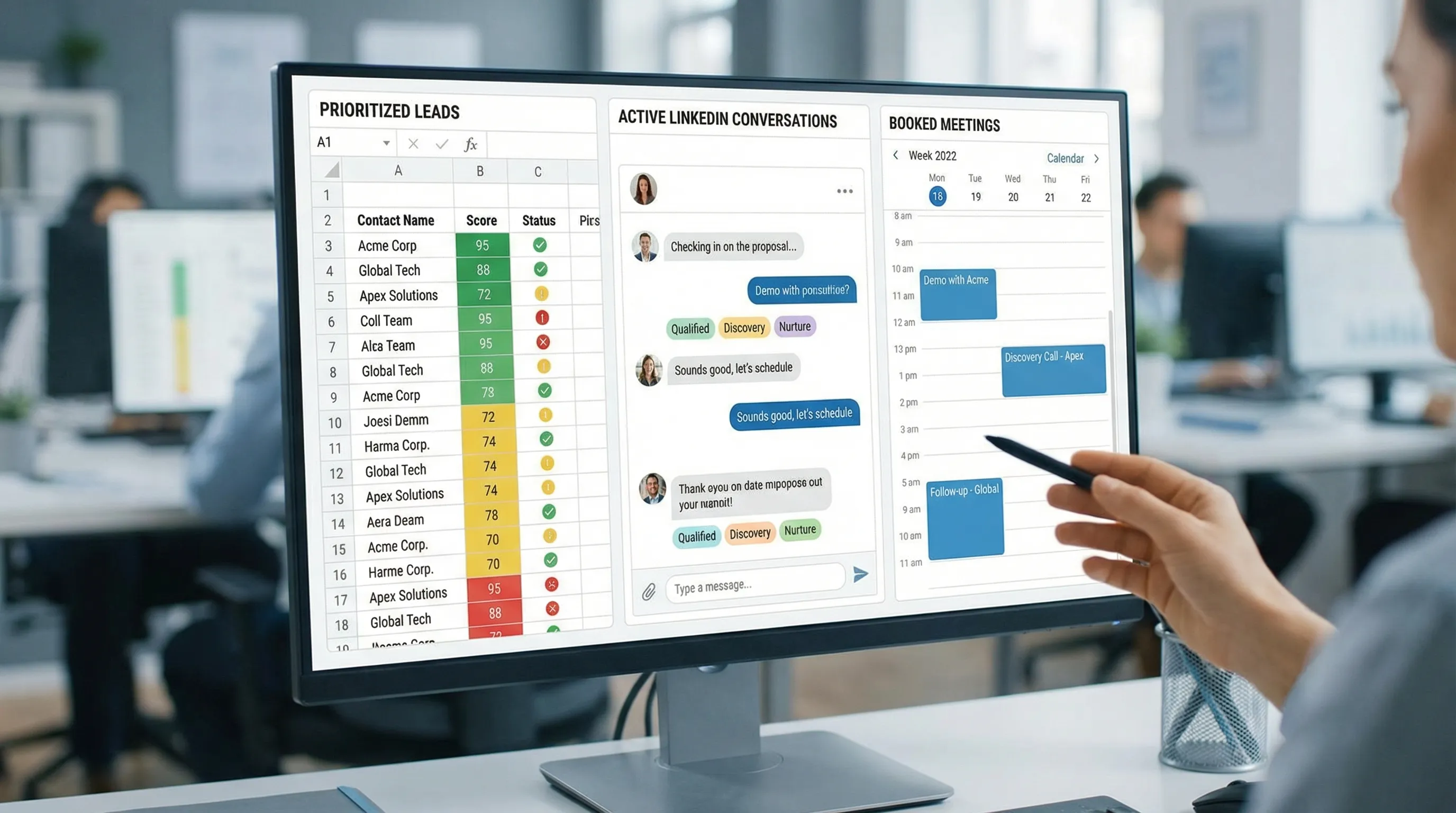
A pre-purchase checklist for sales leaders and RevOps
Before you commit budget and rollout time, validate these points:
- Data readiness: Do you trust your lifecycle fields, outcomes, and timestamps?
- Outcome clarity: What is the target label, SQL, meeting held, opportunity created, and who owns it?
- Actionability: For each AI output, what is the next action, SLA, and owner?
- Adoption plan: Where in the workflow will reps see and use the AI signal?
- Measurement: How will you prove lift, by segment, compared to baseline?
- Governance: Who monitors errors, bias, drift, and overrides?
If your current bottleneck is outbound conversations on LinkedIn, also validate whether your tooling can manage real dialogues (not just sequences), capture qualification evidence, and book meetings without spamming.
Frequently Asked Questions
Is “Einstein Sales Force” a real Salesforce product name? It is a common search term, but Salesforce generally uses “Einstein” to describe AI capabilities across Salesforce, including Sales Cloud AI features.
Can Salesforce Einstein replace SDRs? No. It can improve prioritization, forecasting, and productivity, but it does not replace relationship building, discovery, negotiation, and accountable decision-making.
Does Einstein automatically run outbound outreach? Einstein can support workflows and productivity, but it is not designed to autonomously run LinkedIn conversations end to end, including adaptive qualification and meeting booking.
What is the biggest limitation teams hit with Einstein? Data quality and operational consistency. If your CRM fields and outcomes are inconsistent, model outputs can be hard to trust and hard to adopt.
What should I use if my main channel is LinkedIn? Many teams keep Salesforce (and Einstein) for system-of-record and prioritization, then add a LinkedIn-native conversation platform to execute personalization, qualification, and booking at scale.
Book more meetings from the conversations Einstein cannot run
If Einstein is helping you identify the right accounts but your team still struggles to sustain personalized LinkedIn conversations and qualify prospects in-thread, Kakiyo is built for that gap.
Explore how Kakiyo can autonomously manage LinkedIn conversations, qualify leads, and book meetings, with human oversight built in: Kakiyo.