
 Ilan Asseo
Brandon Seamless AI: What Teams Should Know Before Buying
Buyer-focused checklist for evaluating Seamless.AI as a B2B contact-data source, covering coverage, accuracy, compliance, and workflow fit.

Buying a contact data platform is one of those decisions that feels simple (more leads) until you’re a few weeks in and realize the real work is in accuracy, workflow fit, and governance.
If you’ve been searching for Brandon Seamless AI, you’re likely evaluating Seamless.AI as a source of B2B contacts to power outbound. This guide is a buyer-focused checklist of what teams should validate before they sign, so your SDR motion gets more qualified conversations and meetings, not just more records.
Industry evidence: “Our research suggests that a fifth of current sales-team functions could be automated.” — McKinsey & Company.
Source: McKinsey
What “Brandon Seamless AI” typically refers to
In practice, “Brandon Seamless AI” is a search phrasing tied to Seamless.AI and its public-facing leadership content. The product itself is generally evaluated as a prospecting and contact discovery tool: helping sales teams find business contacts (for example, emails and phone numbers) and export them into their outbound workflow.
That framing matters because your success criteria should match what a data platform can and cannot do.
- A contact data tool can help you build lists faster and reach more of your ICP.
- It does not, by itself, solve message-market fit, qualification quality, routing, reply handling, or meeting booking.
If your pipeline problems are really “we’re talking to the wrong people” or “we can’t qualify consistently once they reply,” you still need a conversation and qualification layer (more on that later).
Before you evaluate vendors, get crisp on the job-to-be-done
Teams waste the most money on prospecting data when they buy it like a commodity. Your first step is to write down which of these you’re actually trying to accomplish:
- New logo outbound: Build net-new contact lists for a tight ICP slice.
- Account expansion: Find additional stakeholders in accounts you already work.
- Territory coverage: Ensure each rep has enough valid contacts per target account.
- Enrichment: Fill missing fields in CRM (role, email, phone) for existing records.
Those are different use cases with different success metrics.
A simple test: if you cannot describe what “good” looks like in one sentence (for example, “reduce bounce rate below X and raise connect rate above Y for our top 3 ICP slices”), you are not ready to buy.
The 6 things to validate before buying Seamless.AI (or any contact data platform)
1) Coverage for your ICP (not overall database size)
Most vendors market breadth. Buyers need coverage depth in the exact segments you sell into.
Validate coverage by sampling:
- Pick 3 ICP slices (industry + company size + geography + persona).
- Pull a fixed number of contacts per slice.
- Check how often you get the seniority, department, and region you need.
If your motion is LinkedIn-first, test whether the contacts you pull are also easy to match to real LinkedIn profiles. You want “contactability” plus “social verifiability,” not just a row in a CSV.
2) Data quality in your channels (email, phone, and social) and how it’s measured
Data quality is not a vibe. It is observable in your outbound metrics.
What to test in a pilot:
- Email bounce rate (hard bounces are the key signal).
- Phone connect rate (even a “wrong number” vs “disconnected” distinction is useful).
- Role accuracy (does the contact actually hold the job title or function).
- Duplicate rate (how often you get repeated contacts across pulls).
Ask the vendor how they define “verified” and how often verification is refreshed. If they cannot explain verification without hand-waving, you’re buying uncertainty.
3) Compliance, consent, and opt-out handling (especially for EU and regulated industries)
Prospecting data sits at the intersection of your outbound goals and privacy law. This is not just Legal’s problem. If you get it wrong, it shows up as domain issues, spam complaints, and brand damage.
Minimum due diligence questions:
- What is the vendor’s approach to GDPR lawful basis and data subject rights (access, deletion, objection).
- How do they handle suppression lists and opt-outs.
- What do they provide for your compliance posture (for example, a DPA and security documentation).
Useful references to align on expectations:
- The official GDPR text
- The FTC’s CAN-SPAM compliance guide
You should also align internally on your own outreach policies (permissioning, stop rules, and data retention). If you want a practical framework for safe scaling on LinkedIn specifically, see Kakiyo’s guide on automated LinkedIn outreach.
4) Workflow fit: enrichment, dedupe, ownership, and routing
Data becomes expensive when it breaks your CRM.
Before buying, map how contacts move through your systems:
- Where does the record land first (CRM, sales engagement tool, or spreadsheet).
- Which fields are written vs never overwritten (to prevent bad overwrites).
- How you dedupe (email, LinkedIn URL, domain + name matching).
- How assignment and routing works (territory, segment, account owner).
If you already have a defined qualification and handoff model, make sure the data you purchase supports it. A good reference is Kakiyo’s conversation-led approach to lead qualification process design, which emphasizes evidence and next-step clarity, not just contactability.
5) Adoption reality: who will use it, how often, and what “good usage” looks like
A common failure mode is buying a tool the team uses for two weeks, then abandoning because list building still feels messy.
Make adoption measurable. In your pilot, track:
- Seats active weekly
- Contacts exported per rep (with quality gates)
- Percentage of contacts that reach a “contacted” state
Also clarify operating ownership:
- Who owns list criteria and ICP slices (usually RevOps + SDR leadership).
- Who audits quality and safety (enablement, operations, or a designated manager).
- Who runs experiments (prompt tests, messaging tests, channel tests).
If your team is already running a structured weekly metrics rhythm for AI-assisted outbound, keep it. If not, Kakiyo’s AI sales metrics weekly scorecard is a solid template.
6) Commercials: pricing structure, limits, and contract terms that change ROI
You do not need exact pricing details to de-risk the purchase. You need to understand what the pricing is tied to and where overages show up.
Clarify:
- Is pricing per seat, per credit, per export, or hybrid.
- What counts as a “credit” action.
- Whether unused credits roll over.
- Whether there are minimum terms, auto-renewals, or ramp clauses.
The right commercial structure depends on your motion. High-velocity SMB outbound might want predictability. Enterprise ABM might accept variable costs if quality is high.
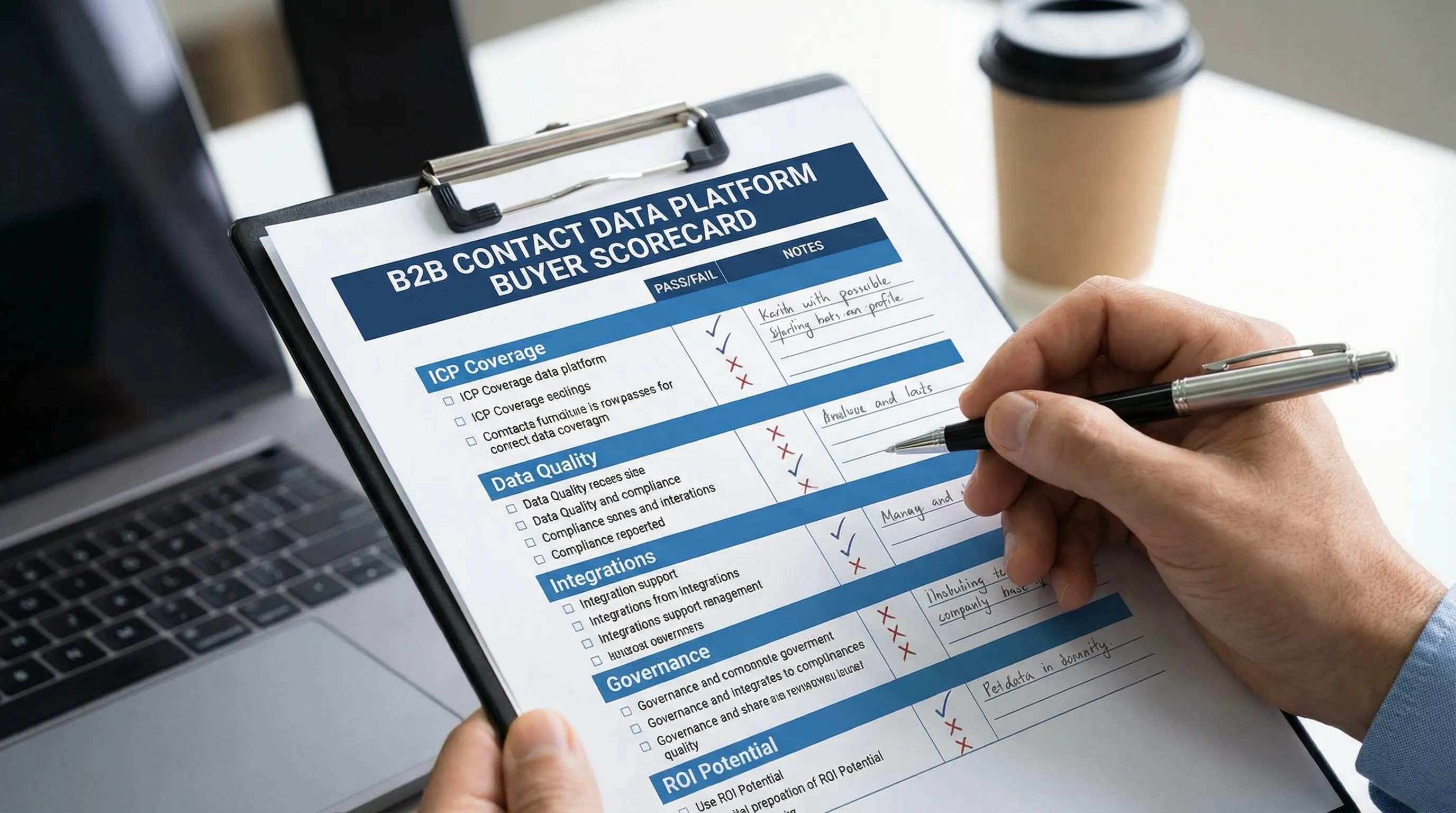
A practical pre-purchase scorecard (use this in demos)
Use a scorecard so stakeholders are judging the same things.
| Evaluation area | What “good” looks like | What to ask / request |
|---|---|---|
| ICP coverage | Strong match in your top slices | Sample pulls by slice (industry, geo, persona) |
| Accuracy | Low bounces, higher connect rate | How verification works and refresh frequency |
| Compliance | Clear posture + opt-out controls | DPA, opt-out/suppression workflow, DSAR handling |
| Workflow fit | Clean CRM writes, low duplicates | Field mapping, overwrite rules, dedupe approach |
| Integrations | Minimal manual exports | CRM/SEP integrations and admin controls |
| Governance | You can audit what happened | Activity logs, role permissions, policy controls |
| Support | Fast, knowledgeable enablement | Onboarding plan, support SLAs, best practices |
You’re not trying to “win the demo.” You’re trying to reduce downstream surprises.
How to run a 14-day pilot that actually answers the buying question
A pilot should answer one question: “Will this produce more qualified meetings per dollar in our specific motion?” Not “do reps like the UI?”
Pilot setup (Days 1 to 3)
- Choose 2 to 3 ICP slices.
- Create a baseline using your current data source (or current process).
- Decide the outbound channel mix you’ll measure (email, phone, LinkedIn).
- Define what counts as a qualified outcome (for example, qualified conversation or meeting booked).
Execution (Days 4 to 12)
Run the same messaging and cadence for test vs baseline as much as possible, so you’re isolating data quality and reach, not copywriting changes.
Review (Days 13 to 14)
Decide based on outcomes and leading indicators.
| Metric | Why it matters | What it tells you |
|---|---|---|
| Hard bounce rate | Direct cost of bad data | List viability for email |
| Connect rate | Phone viability | Whether dials are worth SDR time |
| Reply rate | Top-of-funnel resonance | Whether the new contacts behave similarly |
| Positive reply rate | Quality signal | Whether targeting and persona match improved |
| Qualified conversation rate | Your real KPI | Whether this improves pipeline inputs |
| Meetings booked per 1,000 contacts | Converts to calendar | Whether data translates into outcomes |
If your motion relies heavily on LinkedIn conversations, consider pairing the pilot with a controlled conversation workflow so you can see end-to-end impact. Kakiyo’s view (and what many teams learn the hard way) is that data tools help you reach people, but conversation systems determine whether you qualify and book.
Common buying pitfalls (and how to avoid them)
Pitfall: treating “more contacts” as success
More contacts can mean more noise. The fix is to set outcome metrics that reflect downstream value, such as qualified conversations and meetings held.
Pitfall: no governance on exports and usage
Without clear rules, different reps export different personas, outreach becomes inconsistent, and you cannot diagnose performance. Establish a few non-negotiables (ICP slices, required fields, stop rules).
Pitfall: expecting the data provider to solve messaging and qualification
Even perfect contact data does not fix:
- generic positioning
- weak proof
- unclear qualification
- slow reply handling
If this is your bottleneck, focus your spend on the conversation layer. Kakiyo was built for exactly that: autonomously managing personalized LinkedIn conversations from first touch through qualification to meeting booking, with controls like prompt creation, A/B prompt testing, scoring, override controls, and analytics.
Where Kakiyo fits if you’re considering Seamless.AI
Seamless.AI (and similar tools) typically sit upstream as a data source. Kakiyo sits downstream as the conversation and qualification system on LinkedIn.
A common, practical architecture looks like this:
- Use a data tool to build target lists and keep contact records current.
- Use a conversation platform to run multi-turn LinkedIn outreach that captures intent, qualifies consistently, and books meetings.
If you want the “connected tissue” across the funnel, Kakiyo’s article on what seamless AI sales looks like across your funnel is a useful operating model.
What to decide, in plain terms
If your core problem is “we cannot find enough people to contact,” a tool like Seamless.AI may help, but only if your pilot proves coverage and accuracy for your ICP.
If your core problem is “we get replies but don’t qualify consistently, conversations stall, or meetings don’t book,” then buying more data will not fix it. You need a system that operationalizes qualification and booking with measurable controls.
If you want to pressure-test your current motion before adding another vendor, start by making qualification evidence explicit and auditable. Kakiyo’s guide to qualified leads scoring that sales trusts is a strong foundation for aligning what “qualified” means before you scale inputs.
When you evaluate Brandon Seamless AI as a purchase, judge it on what it is: a potential input to your outbound engine. Your output, qualified meetings, depends on how well the rest of the engine is built.
FAQ
Where does AI actually help in sales?
AI helps most when it reduces repetitive work, surfaces better signals, and improves execution speed. It is strongest in research, qualification support, follow-up, and workflow automation.
What are the limits of AI in sales?
AI still depends on clean inputs, good process design, and human oversight. It can accelerate bad workflows just as easily as good ones.
How should teams evaluate AI sales tools?
Evaluate tools by workflow fit, data quality, implementation friction, and measurable business outcomes. A feature-rich tool is not automatically the right tool for your motion.
Does AI replace SDRs or sales reps?
Usually no. In most teams, AI reshapes the role by taking over repetitive execution while humans stay responsible for judgment, positioning, and relationship depth.