
 Ilan Asseo
Business Development Rep LinkedIn: Prospecting Routine
LinkedIn-first daily prospecting routine for business development representatives to generate qualified conversations and book meetings.

Most BDR LinkedIn prospecting routines fail for one reason: they optimize for activity (more connection requests, more follow-ups) instead of momentum (more qualified conversations that turn into meetings).
A high-performing daily routine is simpler. You start from signals, respond fast, keep threads coherent, and protect time for the few moves that actually change outcomes.
Below is a LinkedIn-first daily prospecting routine you can run in 60 to 120 focused minutes, plus lightweight inbox coverage during the day.
Industry evidence: “As customers increasingly learn and buy digitally, sales reps become just one of many possible sales channels.” — Cristina Gomez, Managing Vice President, Gartner.
Source: Gartner
What you are really trying to produce each day (not “more outreach”)
On LinkedIn, your day should be designed around a micro-conversion funnel. Each step has its own leading indicator, and each step has its own failure mode.
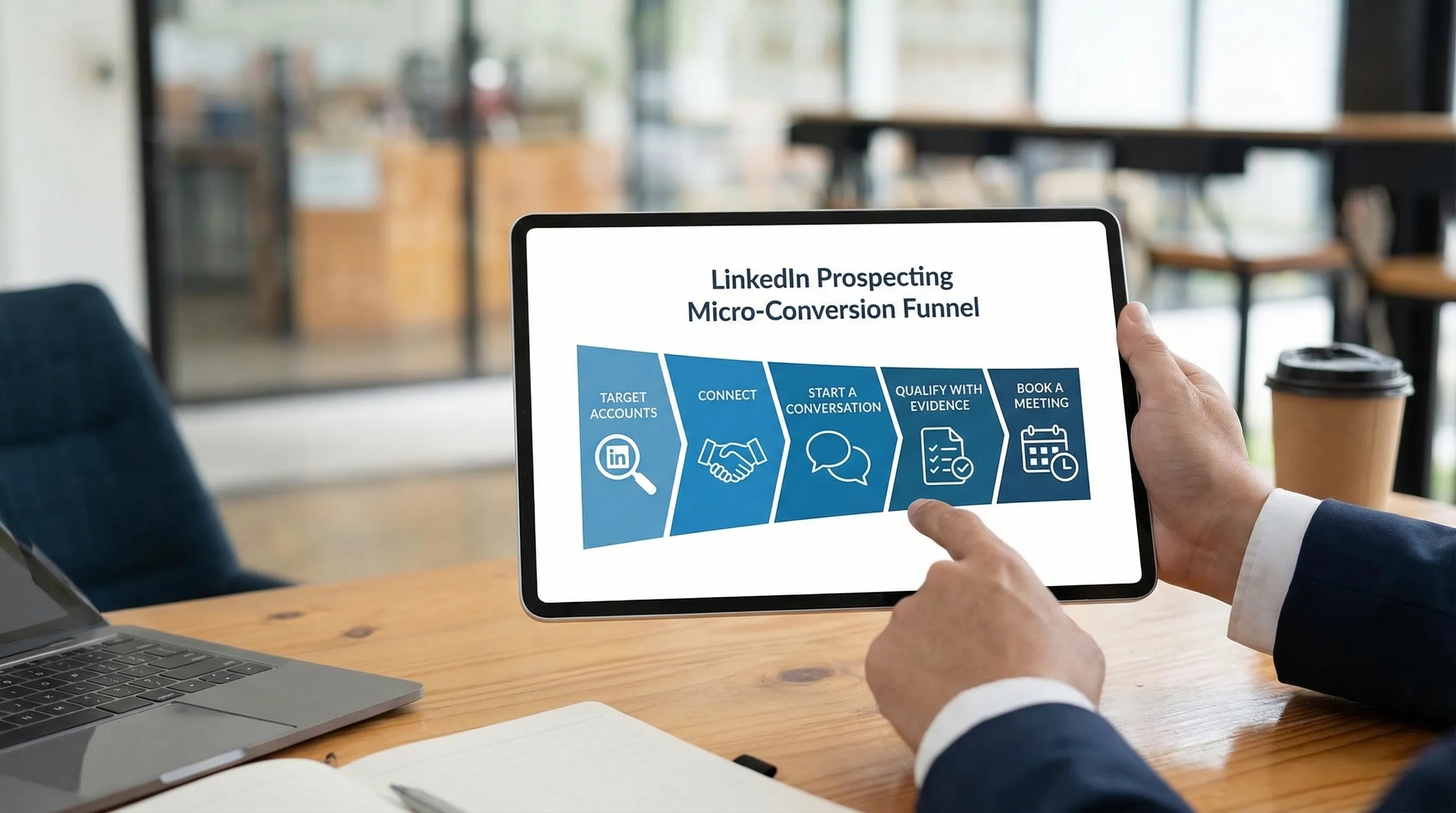
Here is a practical way to define “done” for the day.
| Funnel step | What it means on LinkedIn | The daily output you control | What to watch if results dip |
|---|---|---|---|
| Target | You are focusing on a narrow ICP slice | A prioritized hit list for today | ICP too broad, no trigger, weak data |
| Connect | You earned permission to show up in inbox | Connection acceptance rate | Targeting mismatch, generic notes |
| Converse | You got a real reply (not a like) | Reply volume and quality | Message too long, no relevance, poor timing |
| Qualify | You captured evidence (fit, intent, constraints) | Qualified conversation rate | You pitch too early, questions feel “salesy” |
| Book | You turned intent into a calendar step | Meetings booked and held | Friction in scheduling, unclear next step |
If you want deeper definitions for qualification evidence and scoring, Kakiyo has a strong companion guide on proof-based qualification.
The setup that makes the daily routine work (15 to 30 minutes, once per week)
Daily execution is only “hard” when the inputs are missing. Before Monday, make sure you have these five pieces ready.
1) One ICP slice and one value hypothesis
Pick a slice narrow enough that your message can sound inevitable.
Examples of “narrow enough”:
- Series B SaaS, Head of RevOps, implementing a new CRM
- Manufacturing, VP Ops, hiring for supply chain analytics
- IT services, CTO, recent security incident or compliance push
Write one value hypothesis in plain language: “When X is true, they usually care about Y, because Z breaks.”
2) Two proof snippets you can reuse
Proof on LinkedIn should be compact. Think: one sentence, one datapoint, one recognizable customer type.
Keep two versions:
- A credibility proof (who you help)
- An outcome proof (what changes)
3) A saved-search system in Sales Navigator
If you are not running saved searches with alerts, you are forcing yourself into manual research every day.
LinkedIn’s own guidance emphasizes building workflows around saved searches and alerts in Sales Navigator so you can act on changes (job moves, growth, posting activity) rather than brute force.
4) A conversation map: 3 lanes you will route prospects into
Define lanes so you do not improvise under pressure:
- Hot lane: high fit plus clear intent, qualify and book
- Warm lane: fit is plausible, intent unclear, run a short value-drop + one question
- Not now lane: good fit, wrong timing, set a future checkpoint
5) Instrumentation: where evidence will live
Threads are not a CRM. Decide what you will capture after meaningful steps.
At minimum, capture:
- ICP slice / segment
- Trigger (why now)
- Evidence notes (fit, intent)
- Next step (and date)
If your team needs a structured approach, the Kakiyo post on lead qualification process steps, scoring, and automation lays out an auditable model.
The Business Development Representative LinkedIn daily prospecting routine
This routine assumes you want consistent, high-quality conversations without spending your whole day in DMs.
Recommended time blocks (example)
| Block | Time | Goal | Output |
|---|---|---|---|
| Inbox triage | 15 min | Protect speed and thread quality | Replies categorized with next actions |
| Build today’s hit list | 15 min | Prioritize by fit plus fresh signals | 20 to 40 prospects queued |
| First touches | 20 to 30 min | Start new threads with relevance | 10 to 25 high-quality first touches |
| Follow-ups and value drops | 20 to 30 min | Convert silence into a response | 10 to 20 follow-ups sent |
| Qualification + booking | 15 to 25 min | Turn intent into a calendar step | 1 to 5 meeting attempts, 0 to 2 booked |
| End-of-day hygiene | 10 min | Keep systems clean, learn fast | CRM updates + experiment notes |
You can run this in one concentrated block (best), or split into two blocks (morning and afternoon) if your role requires broader coverage.
Block 1: Inbox triage (15 minutes)
This is the highest ROI part of your day because it compounds.
Research on lead response time consistently shows faster follow-up improves contact and conversion rates. A classic Harvard Business Review analysis (“The Short Life of Online Sales Leads”) found that contacting leads quickly materially increased the odds of qualifying them, and delays sharply reduced outcomes.
On LinkedIn, “fast” does not mean instant. It means your prospect experiences you as attentive, coherent, and human.
Triage into five buckets:
- Positive: they answered your question, asked theirs, or signaled interest
- Clarify: they replied, but you need one detail to route correctly
- Objection: cost, timing, competitor, “we already have this”
- Wrong person: redirect needed
- Stop: explicit no, or you are clearly irrelevant
Your rule: never leave a positive reply without a next action. That next action is either one qualifying question or a booking attempt.
Block 2: Build today’s hit list (15 minutes)
A BDR LinkedIn routine works best when it is signal-led.
Your hit list should come from:
- Sales Navigator alerts (job changes, shared connections, posting activity)
- Account news (funding, expansion, hiring)
- Buying-group coverage (2 to 4 stakeholders per account)
- People who engaged with your content or company page
Practical prioritization rule:
Start with fit, then sort by recency of signal.
That is how you avoid the trap of “personalizing” for low-fit people.
Block 3: First touches (20 to 30 minutes)
Your goal is not to pitch. Your goal is to earn a reply.
A good first touch has three elements:
- Reason: why you are reaching out
- Relevance: a specific hint you understand their world
- Low-friction ask: a question that is easy to answer
Keep it short enough that it can be read on mobile in under 10 seconds.
If you want complete templates and examples, use Kakiyo’s guide to LinkedIn outreach messages that get replies. For your daily routine, focus on consistency and restraint.
Two patterns that work well:
Pattern A (trigger-led): “Saw X. Curious, is Y a priority this quarter, or more of a later-in-the-year project?”
Pattern B (role-led): “When I talk to [role] at [company type], Z tends to be the bottleneck. Is that true in your world, or is it something else?”
Block 4: Follow-ups and value drops (20 to 30 minutes)
Most meetings come from follow-up, but most follow-ups fail because they repeat the first message.
Your follow-up rule: add one new piece of value or specificity per touch.
Examples of “newness”:
- A short insight (one sentence)
- A mini benchmark (one datapoint)
- A clarifying question that narrows scope
- A relevant asset (only if it is truly relevant)
Stop rules matter here, especially on LinkedIn.
If you want a safe cadence philosophy (including pacing and stop rules), use Cold prospecting on LinkedIn: a safe, high-reply cadence.
Block 5: Qualification and booking (15 to 25 minutes)
Once someone engages, your job is to capture evidence quickly and respectfully.
A simple, thread-safe qualification approach is:
- One question about current state (“How are you handling X today?”)
- One question about priority / impact (“Is this a top-3 priority, or more a ‘nice to have’?”)
- One question about timing / next step (“If it is a priority, is it something you want to solve this month or later?”)
Then, if signals are there, make booking easy.
Booking best practices on LinkedIn:
- Propose a 15-minute slot as a first step
- Offer two time windows (instead of asking “when works?”)
- Confirm the purpose in one line (“Goal is to see if X is real and worth a deeper call”)
If your team is strict about what qualifies as a good meeting, align to a shared definition like the one in SDR sales process: from first touch to qualified meeting.
Block 6: End-of-day hygiene (10 minutes)
This is where you protect tomorrow.
Do three things:
- Update CRM notes for any thread that crossed a meaningful threshold (qualified, booked, disqualified)
- Tag threads in LinkedIn (or your system) so you do not re-read everything tomorrow
- Log one learning: what you tested, what you saw, what you will change
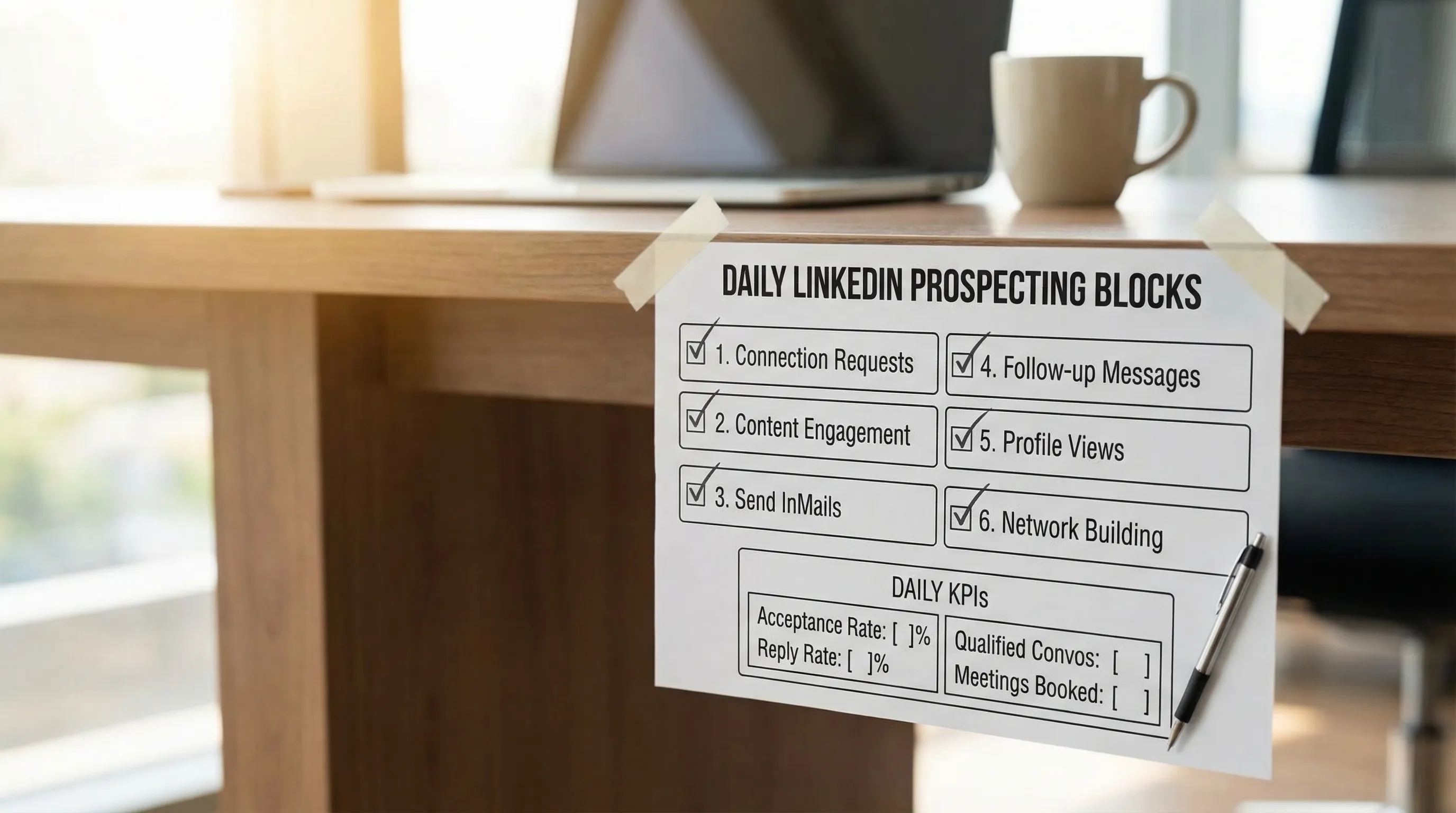
The “one metric per block” scorecard (so you can diagnose fast)
You do not need a complex dashboard to improve. You need a tight loop between what you did today and what changed.
| If this drops… | Look here first | Most common fix |
|---|---|---|
| Connection acceptance | Targeting and connection note | Narrow ICP slice, remove pitch, add clearer relevance |
| Reply rate | First message clarity | Shorten, add sharper “why you, why now,” ask a simpler question |
| Qualified conversation rate | Your first 2 questions | Make questions more natural, ask less at once |
| Meetings booked | Booking mechanics | Reduce friction, propose times, restate goal, tighten CTA |
| Meetings held | Handoff and expectation setting | Confirm agenda, ensure real problem, send a short pre-read |
For a broader KPI system that avoids vanity metrics, see Sales Development Representative: KPIs that matter.
Where AI fits in a BDR LinkedIn routine (without burning trust)
Used well, AI reduces context-switching and helps you manage more simultaneous conversations. Used poorly, it amplifies spam.
The safest way to apply AI in your daily routine is to automate the repeatable parts while keeping humans in control of:
- ICP strategy and exclusions
- Voice and tone standards
- Escalations for high-stakes accounts
- Stop rules and compliance
Kakiyo is built specifically for this LinkedIn-first workflow: it can manage autonomous LinkedIn conversations, apply AI-driven lead qualification, run A/B prompt testing, use industry templates, and maintain control with override plus a real-time dashboard and analytics.
If you are exploring automation, start with safety-first guidance like Automated LinkedIn outreach: do it safely and effectively, then evaluate whether your team is ready to scale.
To see what it looks like when AI carries the thread from first touch to qualification to booking (with supervision), visit Kakiyo.
FAQ
What makes a LinkedIn or cold outreach sequence effective?
An effective outbound sequence matches the buyer's context, uses short messages, and measures reply quality rather than raw volume. Cadence, targeting, and stop rules matter as much as copy.
How many touches should I use before stopping?
Most teams should stop once intent is clearly absent or once the sequence becomes repetitive. The right stop rule protects deliverability, reply quality, and brand perception.
Should I automate all outreach?
No. Automation should remove repetitive work, not replace judgment. The best systems automate targeting, timing, and admin while keeping messaging and qualification grounded in context.
How do I know whether outreach is working?
Track positive reply rate, meeting quality, and downstream conversion instead of open rates alone. If meetings do not progress, the issue is usually targeting or qualification, not activity volume.